

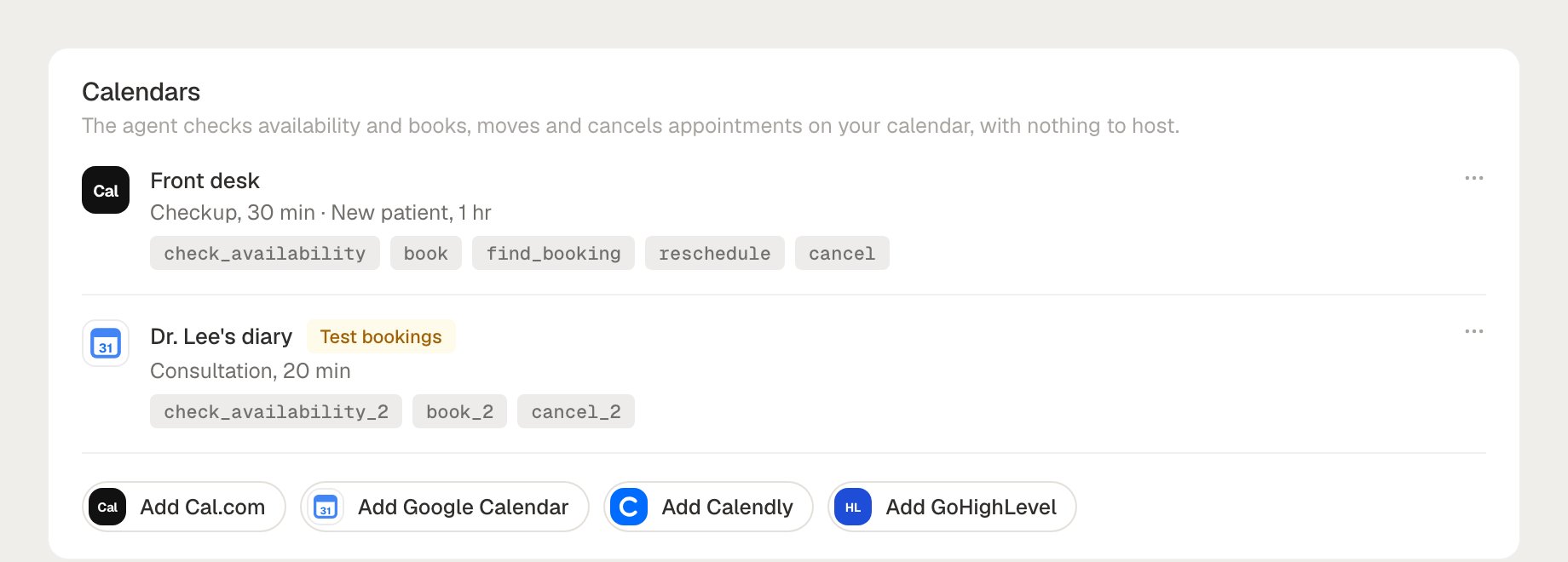
Calendar tools execute only for agents built on Roark. For an agent running on another platform (VAPI, Retell, your own stack), a tool definition is still useful — Roark grades and mocks the tool call in simulations — but Roark does not call your calendar on that agent’s behalf.
Supported calendars
Cal.com
API key. Books an event type, which owns its own length, buffers and notice
Google Calendar
Sign-in. Books time on a calendar, with booking rules Roark holds for you
Calendly
Sign-in. Books an event type. No reschedule: Calendly has no API for it
GoHighLevel
Private Integration Token plus a Location ID. Books into a sub-account calendar
What each provider supports
The six actions are check availability, book, find a booking, reschedule, cancel and list bookings.
Where the caller’s email is optional, the agent can still book without one: Google attendees are optional, and GoHighLevel matches its contact on a phone number alone.
An operation the provider cannot do is never registered as a tool, so the agent cannot promise it. Calendly has no reschedule endpoint, so a Calendly agent is given cancel and book instead, and the switch for it is greyed out in the setup dialog.
A window wider than a provider’s cap is split into several queries automatically — the cap is a provider limit, not a limit on what a caller can ask about.
Permissions each provider needs
What you grant when you connect, and nothing more. Full instructions are on each provider’s page.Setting one up
Calendars live on the Tools tab of an agent built on Roark. Open the agent, scroll to Calendars, and pick your provider’s chip.1
Connect the account
Give the account a name you will recognise, choose the time zone the business keeps, and hand over the credential — an API key, or a sign-in for Google and Calendly.An account is connected once per project and shared by every agent in it. Connecting again from another agent reuses the same account.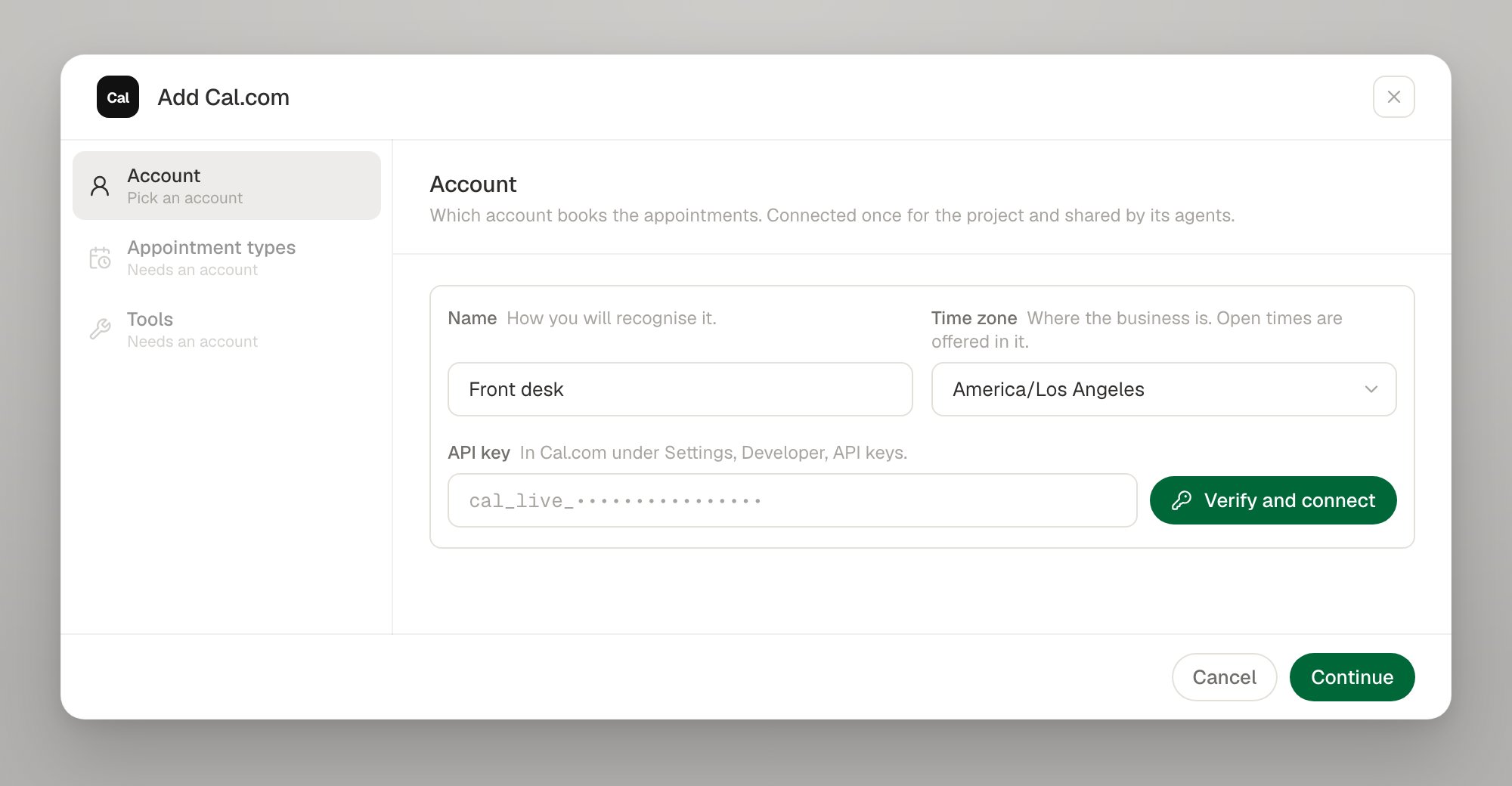
The time zone is the business’s, not the caller’s. A clinic’s 3pm is 3pm whoever dials it. Leave it on The account’s own for a signed-in account to adopt the provider’s setting. A fixed offset such as
-08:00 is rejected — it does not observe daylight saving.2
Describe the appointment types
An appointment type is one kind of appointment the agent can book: a name the agent passes, a line saying when it fits, and the thing it books into.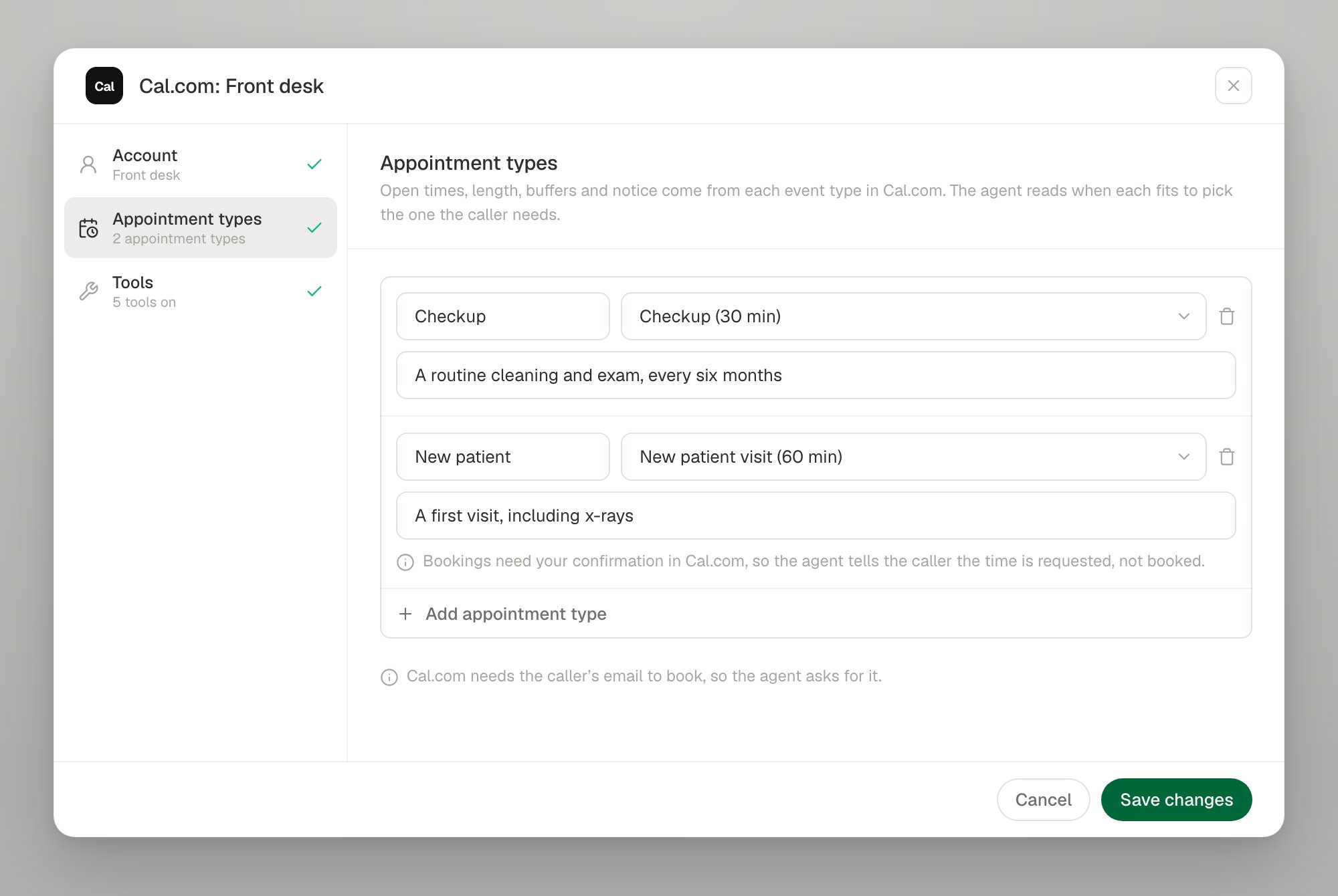
3
Switch on the tools
One tool per action. The three that write — book, reschedule, cancel — are marked Changes data. Each tool’s name and the line the agent reads can be edited.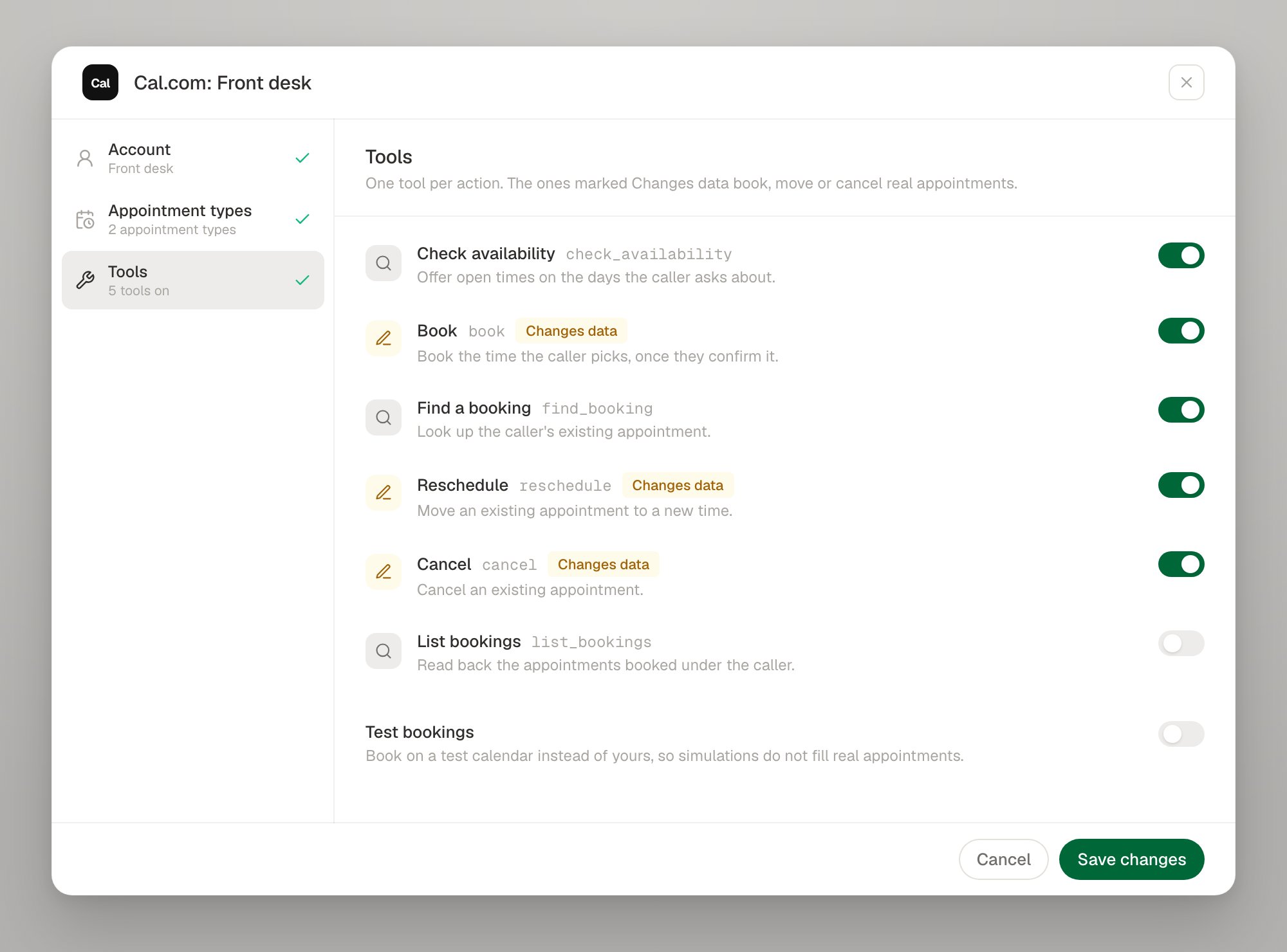
What the agent actually gets
Each switched-on action becomes one tool with a fixed contract. You do not define its arguments; Roark does, and the rules below are enforced on Roark’s side rather than in a prompt.Why the agent is given dates, not datetimes
Why the agent is given dates, not datetimes
A voice model composing an ISO datetime with an offset gets it wrong often enough to book the wrong hour. The tools take plain calendar days and the server expands them in the business’s time zone. Roark appends the business’s time zone and today’s date to the agent’s prompt, so “next Tuesday” is arithmetic the model can do.
Why book only accepts a slot_id
Why book only accepts a slot_id
check_availability hands out opaque slot ids that are single-use and expire after 10 minutes. book takes one of those and nothing else, so the agent cannot book a time it mis-heard or invented. The slot id is also the idempotency key: a book that times out and is retried returns the first appointment rather than making a second one.Why "confirmed" is never assumed
Why "confirmed" is never assumed
An event type with a confirmation policy accepts a booking without confirming it. That comes back as
PENDING_CONFIRMATION, and the sentence Roark hands the agent says the time is requested. The agent never composes the outcome itself.Reading a booking reference back
Reading a booking reference back
A booking reference changes when an appointment is rescheduled. The reschedule tool returns the new one and the agent reads it back to the caller.
Looking an appointment up by phone number
Looking an appointment up by phone number
A booking reference or an email address finds appointments made anywhere. A phone number only finds appointments this agent made — a caller who booked on your website and offers only a phone number is asked for their email or reference instead.
Test bookings
A hosted agent under test is bound to your live calendar, so a hundred-call test run would otherwise be a hundred real appointments in a real diary.- Test bookings on (the switch on the Tools step,
simulatein config): every call on the tool books on a simulated calendar instead of yours. Use it while you are building. - During a Roark simulation: a test call Roark can confirm is routed to the simulated calendar before your credential is touched at all, so a simulated call cannot reach your diary.
Slot ids are signed with the mode they were offered in. A slot offered on the test calendar cannot be booked on the real one, or the reverse.
Limits
Managing a connection
Connection status
Connection status
A connection is
ACTIVE, INVALID_CREDENTIALS (the provider rejected the credential — it needs a new one), or ERROR. A provider outage never changes the status: being unable to reach a provider is not evidence that your credential is bad.Re-verify at any time with POST /v1/connections/calendar/{connectionId}/check, or roark connections calendar check <connection-id>.Rotating a credential or signing in again
Rotating a credential or signing in again
For a key-based provider, paste the new key: it is verified first, and a verified key returns the connection to
ACTIVE. For Google and Calendly, use Sign in again on the account row — the consent screen replaces the credential in place, so every tool bound to the connection keeps working.Disconnecting
Disconnecting
Disconnecting destroys the stored credential; it is not an archive. Appointments already recorded against the connection are kept, so a booking stays explainable afterwards.A disconnect is refused with a
409 while a calendar tool is still bound to the connection, and the refusal names the tools. Point them at another calendar, or delete them, first.As code
A calendar tool is akind: tool resource with a calendar handler. Each action is its own tool, naming the same connection:
CLI
Security and data
- Verified, then encrypted. A credential is checked against the provider before it is stored, and stored encrypted. It is never returned by the API and never appears in a config file.
- One account, many agents. A connection belongs to the project. Every agent in the project can book on it; no agent can reach another project’s calendar.
- Scoped to what you listed. A tool can only reach the appointment types configured on it, so a booking reference cannot be used to cancel an appointment on another event type.
- Caller details are logged by key, not value. Names, emails, phone numbers, notes and cancellation reasons passed to a calendar tool are never written to logs verbatim.
- Sensitive data in transcripts is handled by PII redaction like any other call content.
Next steps
Cal.com
Connect with an API key and book event types
Google Calendar
Sign in and set the bookable hours yourself
Calendly
Sign in and book Calendly event types
GoHighLevel
Connect a sub-account with a Private Integration Token
Tools as code
The
calendar handler, field by fieldTest tool calls
Exercise booking paths in simulations