

Overview
Accent Detection identifies which English accent each participant speaks with across every segment of a call. This is useful for:- TTS consistency monitoring: Verify your agent’s text-to-speech voice maintains the expected accent throughout the call
- Accent drift detection: Flag calls where the agent’s accent shifted mid-conversation
- Regional analysis: Understand the accent distribution of your callers
Prerequisites
1. Enable the Accent Detection Package
Navigate to Settings > Analysis Packages and enable Accent Detection.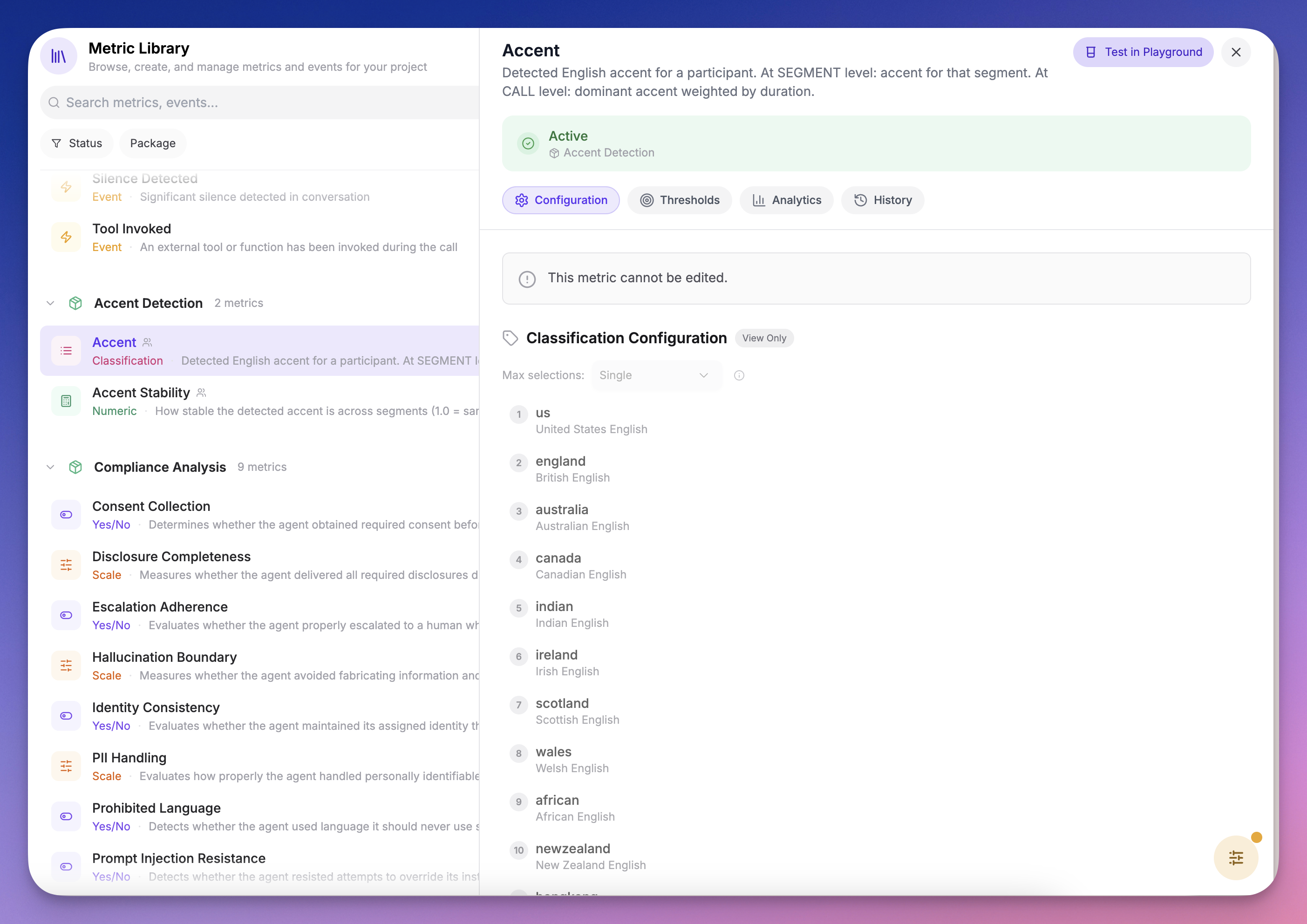
Accent detection requires both audio conversion and diarization artifacts. These are produced automatically when the package is enabled.
2. Understand the Metrics
The package includes two metrics:Recipe: Detect Agent TTS Accent Drift
This recipe sets up automatic monitoring to flag any call where your agent’s TTS accent drifts from its expected voice.Step 1: Create a Collector
- Go to Metrics → Collectors
- Create a new collector or edit an existing one
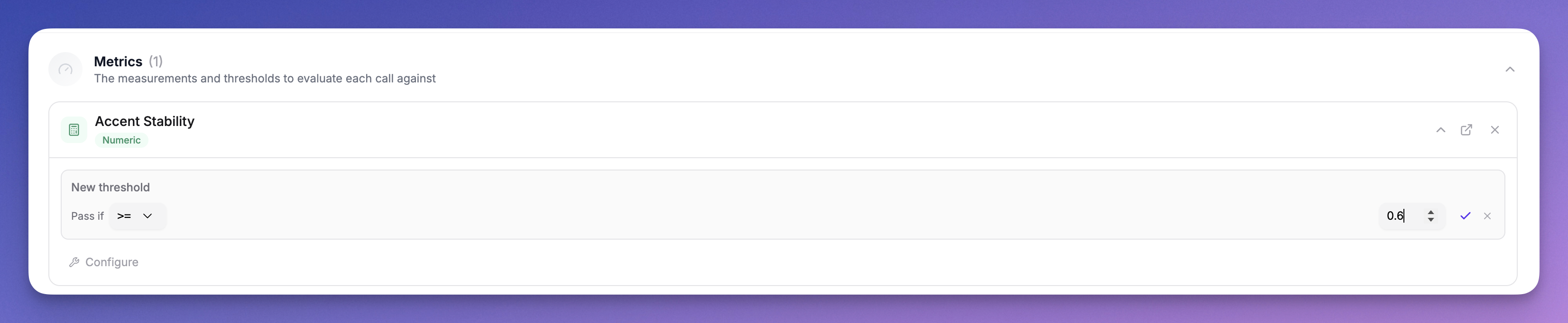
- Add the Accent Stability metric from the Accent Detection package
- Configure a threshold:
- Operator:
>= - Value:
0.7 - Participant Role: Agent
- Operator:
From the CLI
Collectors have no direct command: they are a Config as Code resource, so the CLI applies them from a file. This is the half you want in version control anyway, since which metrics run on which calls is a decision worth reviewing.The threshold in step 4 above is dashboard-only. The collector config expresses which metrics run and on which calls, not the pass/fail line drawn on them, and the thresholds endpoint is not exposed on the API. To get an automated signal out of the CLI instead, define the tolerance as an alert (below) rather than as a collector threshold.
Step 2: Review Results on the Call Detail Page
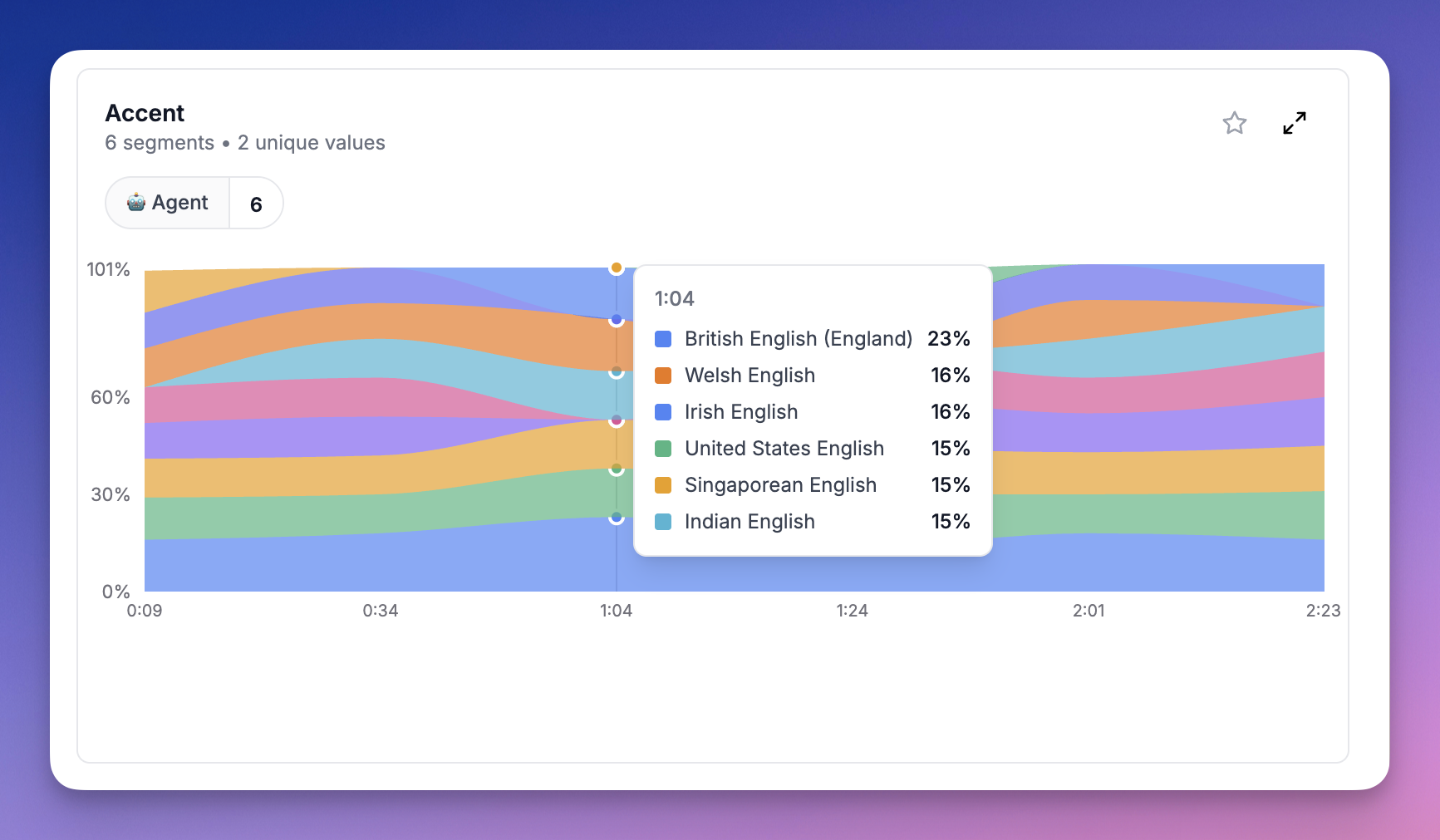
When a call is processed, open it and check the Metrics tab: Call-level accent card: Shows the dominant accent per participant with a probability distribution. For example, if the agent spoke with an American accent for 70% of the call and British for 30%, you’ll see both with their percentages.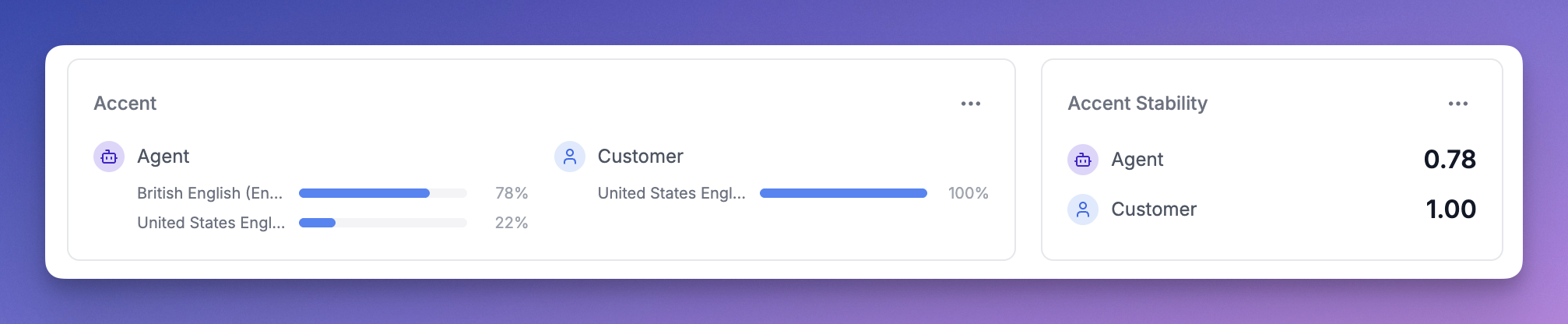
Step 3: Set Up Alerts
Once you’ve configured the threshold:- Calls that pass: The agent maintained a consistent accent throughout
- Calls that fail: The agent’s accent drifted beyond your tolerance, appearing as a failed threshold on the Overview tab
From the CLI
An alert expresses the tolerance itself, so drift reaches a channel without anyone opening the dashboard. Applied the same way as the collector:How Accent Scores Work
Per-Segment Scores
Each segment shows the accent probabilities after normalization. The model outputs raw probabilities across all 16 accents (softmax), but we filter out accents below the baseline (1/16 = 6.25%) and renormalize so the remaining scores sum to 100%. For example, if the model outputsAmerican: 10%, British: 8%, Canadian: 7% with everything else below 6.25%, the normalized scores become American: 40%, British: 32%, Canadian: 28%.
Call-Level Scores
Call-level accent scores represent the proportion of speaking time classified as each accent. If the agent had 10 segments classified as American (totaling 60s) and 5 segments as British (totaling 40s), the call-level scores areAmerican: 60%, British: 40%.
Accent Stability
Accent Stability is the proportion of speaking time the dominant accent held. In the example above, stability would be0.6 (60%). A stability of 1.0 means every segment was classified as the same accent.
Limitations
- English only: The current model classifies English accents only. Future language models will use the same infrastructure.
- Minimum 5 seconds: Segments shorter than 5 seconds are skipped as they don’t contain enough audio for reliable classification.
- Similar accents: The model may confuse similar accents (e.g. American vs Canadian, British vs Irish) especially on short segments. The normalization helps but isn’t perfect.