

What you need
It must be a sub-account (location) Private Integration, not an agency-level one. An agency token cannot act on a location’s calendars.
Scopes to select on the Private Integration
Tick exactly these when you create the integration. GoHighLevel’s picker lists them with friendly labels; the API names are what Roark checks against.
A token missing any of these is refused when you connect, rather than failing later on a live call.
Connect the account
1
Create the Private Integration
In the sub-account, open Settings → Private Integrations, create an integration, tick the six scopes above, and copy the token. It is shown once.
2
Copy the Location ID
Settings → Business Profile shows the sub-account’s Location ID, for example
ve9EPM428h8vShlRW1KT.3
Add GoHighLevel to your agent
In Roark, open your agent built on Roark, go to the Tools tab, and in the Calendars card choose Add GoHighLevel. Name the account, pick the time zone the business keeps, and paste both the Location ID and the token.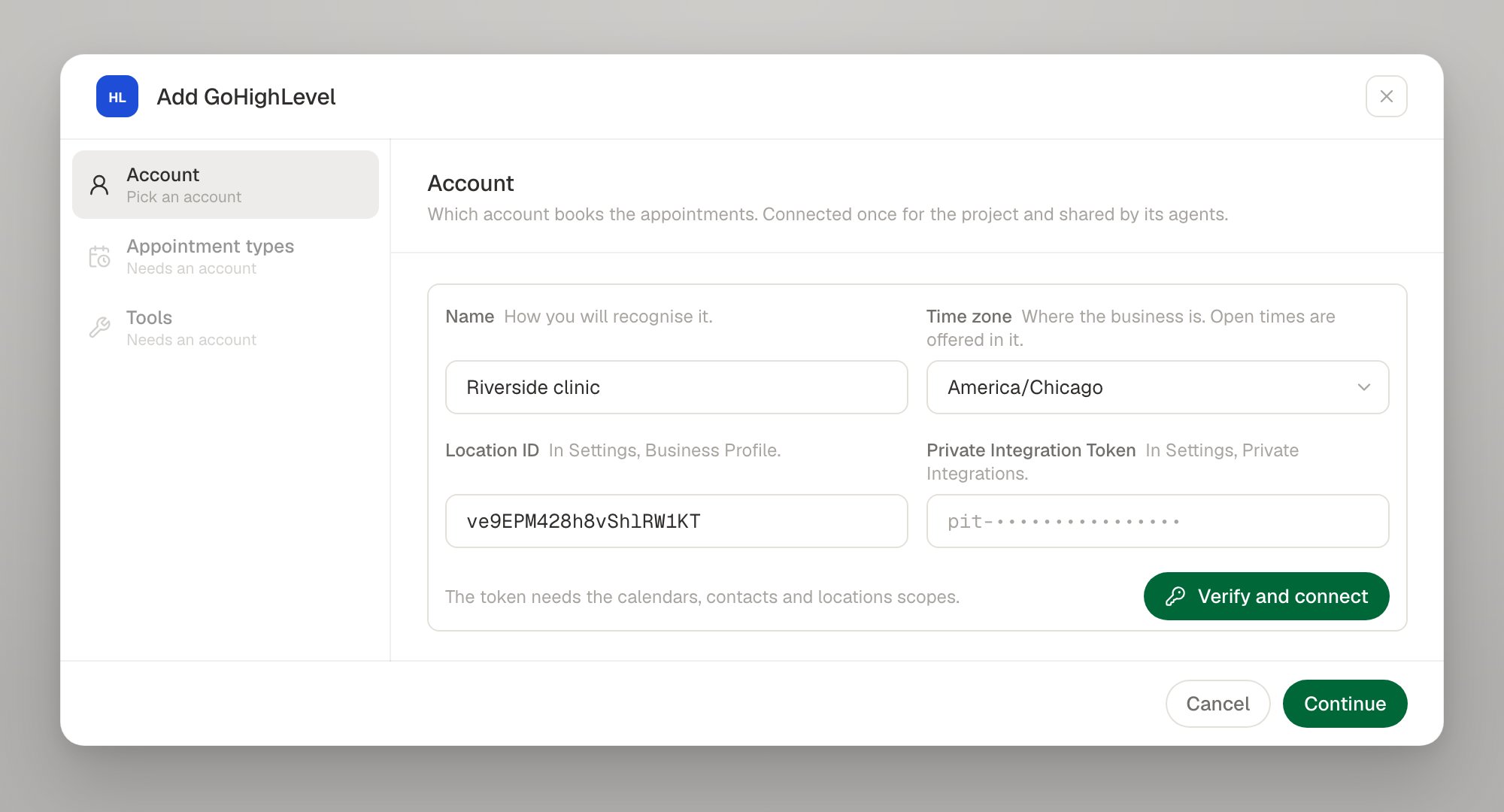
4
Pick the calendars the agent may book into
Each appointment type points at one of the sub-account’s calendars, with a line telling the agent when it fits. The calendar keeps its own rules — length, buffers, notice and open hours — exactly as a Cal.com event type does.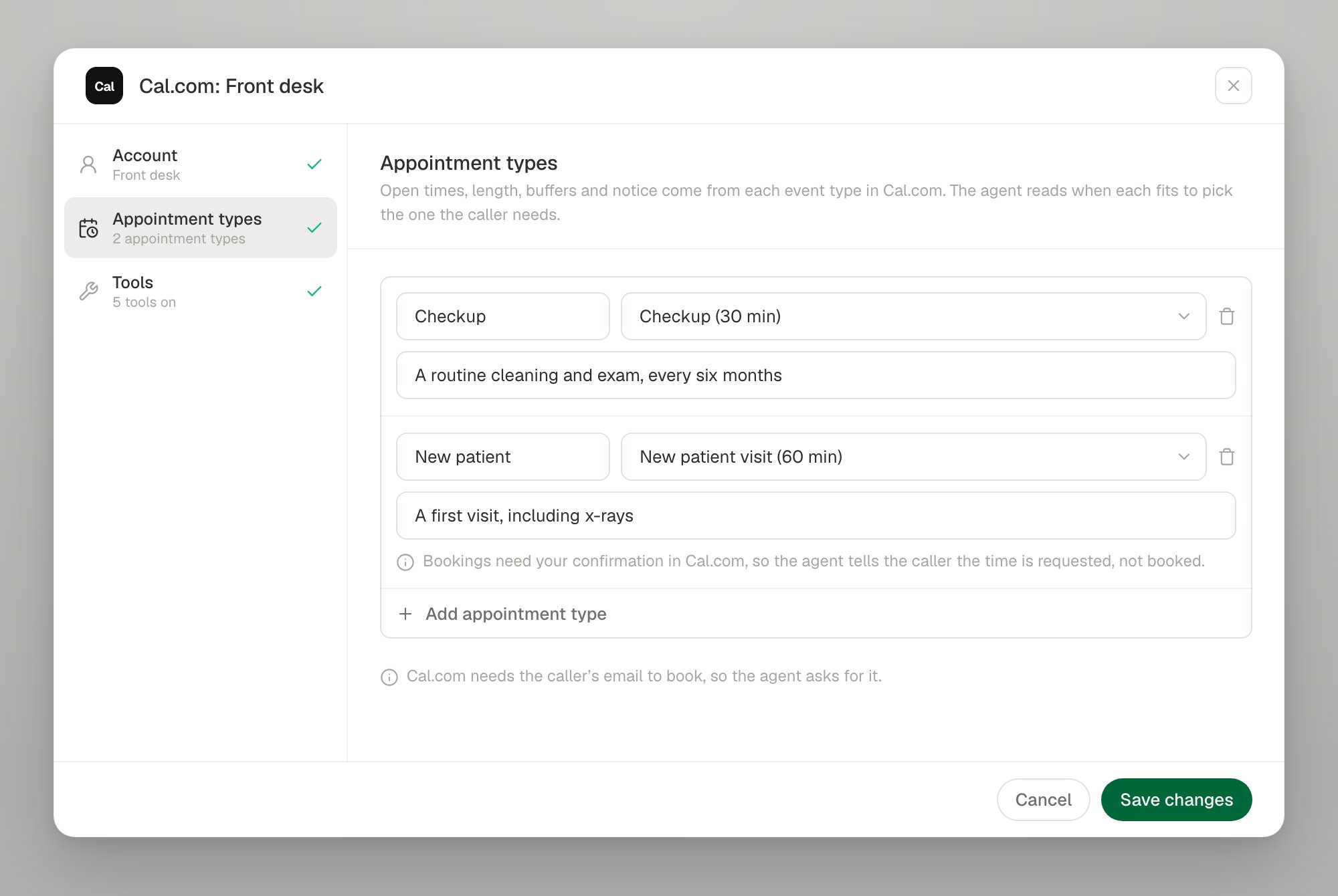
5
Switch on the tools
GoHighLevel supports all six actions, including a real reschedule.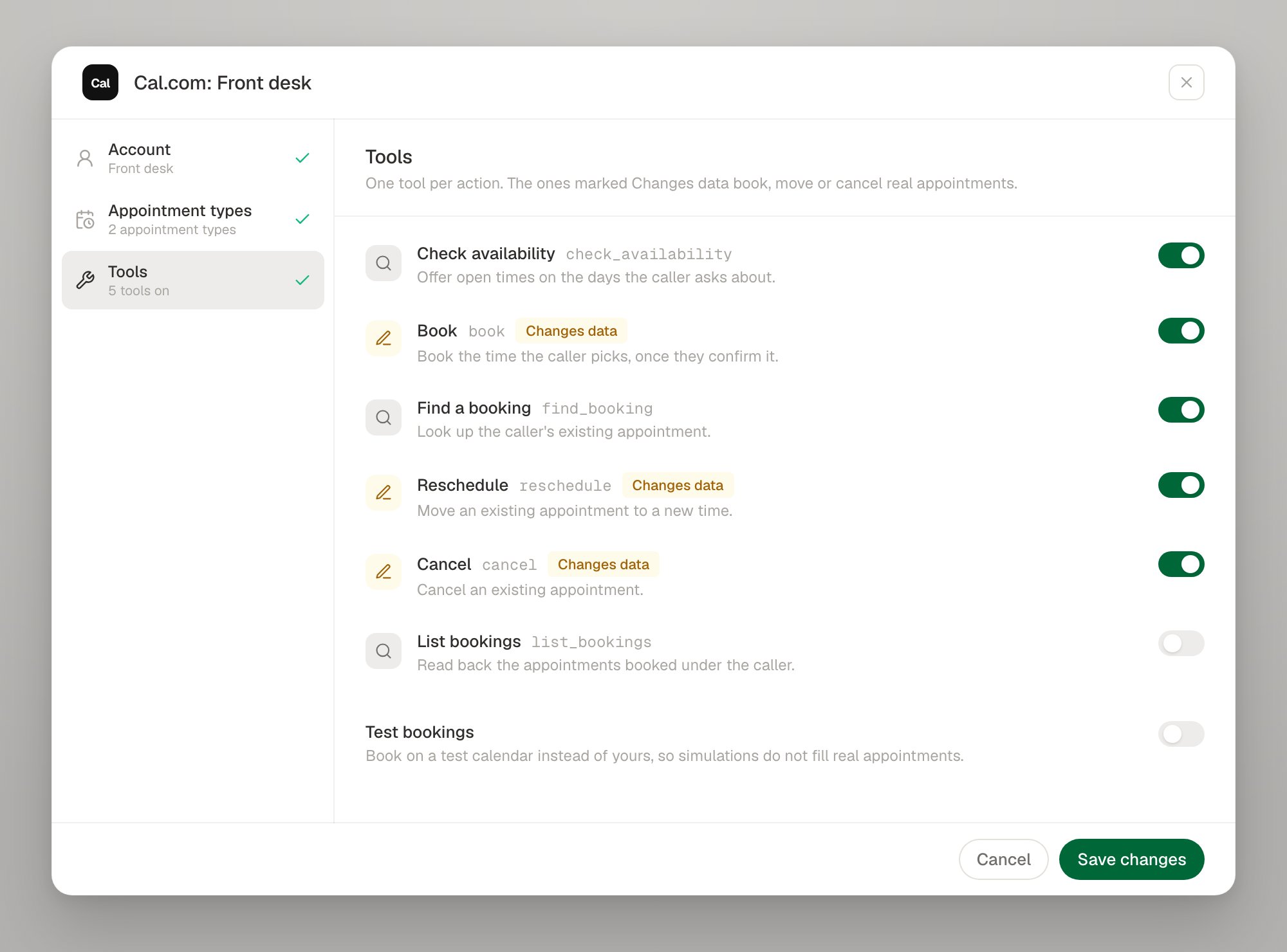
GoHighLevel specifics
Every booking writes a contact
Every booking writes a contact
contactId is required to create an appointment and there is no inline attendee field, so each booking upserts a contact in your sub-account from what the caller gave: their name, and their email and phone number when they gave them. An existing contact is updated, following your sub-account’s own duplicate-contact rules; a caller Roark has never seen becomes a new contact.This is a write beyond the calendar, and it is the only way to book at all — worth knowing if automations in your sub-account fire on contact creation.The caller's email is optional
The caller's email is optional
Because the booking goes through a contact, and the contact can be matched on a phone number alone, an agent that cannot get an email spelled out over the phone can still book. Supply an email where the caller gives one: GoHighLevel’s own confirmation automations need it.
Availability is read 31 days at a time
Availability is read 31 days at a time
GoHighLevel refuses a free-slots query wider than 31 days. A caller asking about a longer range is answered from several queries; you do not have to do anything.
Calendars that offer several lengths
Calendars that offer several lengths
Where a calendar lets the booker choose a length, pin one on the appointment type (
durationMinutes). Unlike Calendly’s, this is not redundant: GoHighLevel takes the duration on the availability read, so it decides which slots are offered in the first place. Leave it off and the calendar’s own slot duration applies.The "Roark reference" line on appointments
The "Roark reference" line on appointments
GoHighLevel appointments carry no metadata or custom fields, so Roark writes its booking id into the appointment’s description, as a trailing
Roark reference: line after whatever the caller asked to pass on. It is what lets a booking whose answer never came back be reconciled instead of duplicated. You will see it in your own GoHighLevel calendar; leave it in place.Finding an appointment when the caller names no dates
Finding an appointment when the caller names no dates
A lookup with no window reads from 7 days back to 90 days ahead — back far enough to find an appointment a caller has just missed, forward far enough to cover any horizon a calendar offers.
Appointments awaiting confirmation
Appointments awaiting confirmation
An appointment GoHighLevel leaves in its
new status is reported as not yet confirmed, and the agent tells the caller the time is requested. Statuses that mean cancelled are reported as cancelled.No slot holds
No slot holds
GoHighLevel cannot hold a time while the caller thinks about it — its nearest feature blocks a slot out with no expiry, which a dropped call would leave closed until somebody noticed. A slot that goes between being offered and being booked comes back as
SLOT_TAKEN, with fresh times to offer.Rotating the token
Send the new token and the Location ID it belongs to. The pair is verified before it is stored, and a verified pair returns a connection inINVALID_CREDENTIALS to ACTIVE.
Troubleshooting
Next steps
Calendars overview
The six tools, slot ids, test bookings and limits
Tools as code
Declare a GoHighLevel tool in your config
Cal.com
Connect a Cal.com account with an API key
Test tool calls
Exercise booking paths in simulations