

What you need
What each scope buys, and what Roark deliberately does not ask for
Roark never asks for the full
https://www.googleapis.com/auth/calendar scope. That is full control, including deleting whole calendars, and a tool that books appointments has no business being able to delete a diary.Connect the account
1
Start the sign-in
Open your agent built on Roark, go to the Tools tab, and in the Calendars card choose Add Google Calendar. Name the account, leave the time zone on The account’s own to adopt Google’s setting, then Sign in with Google.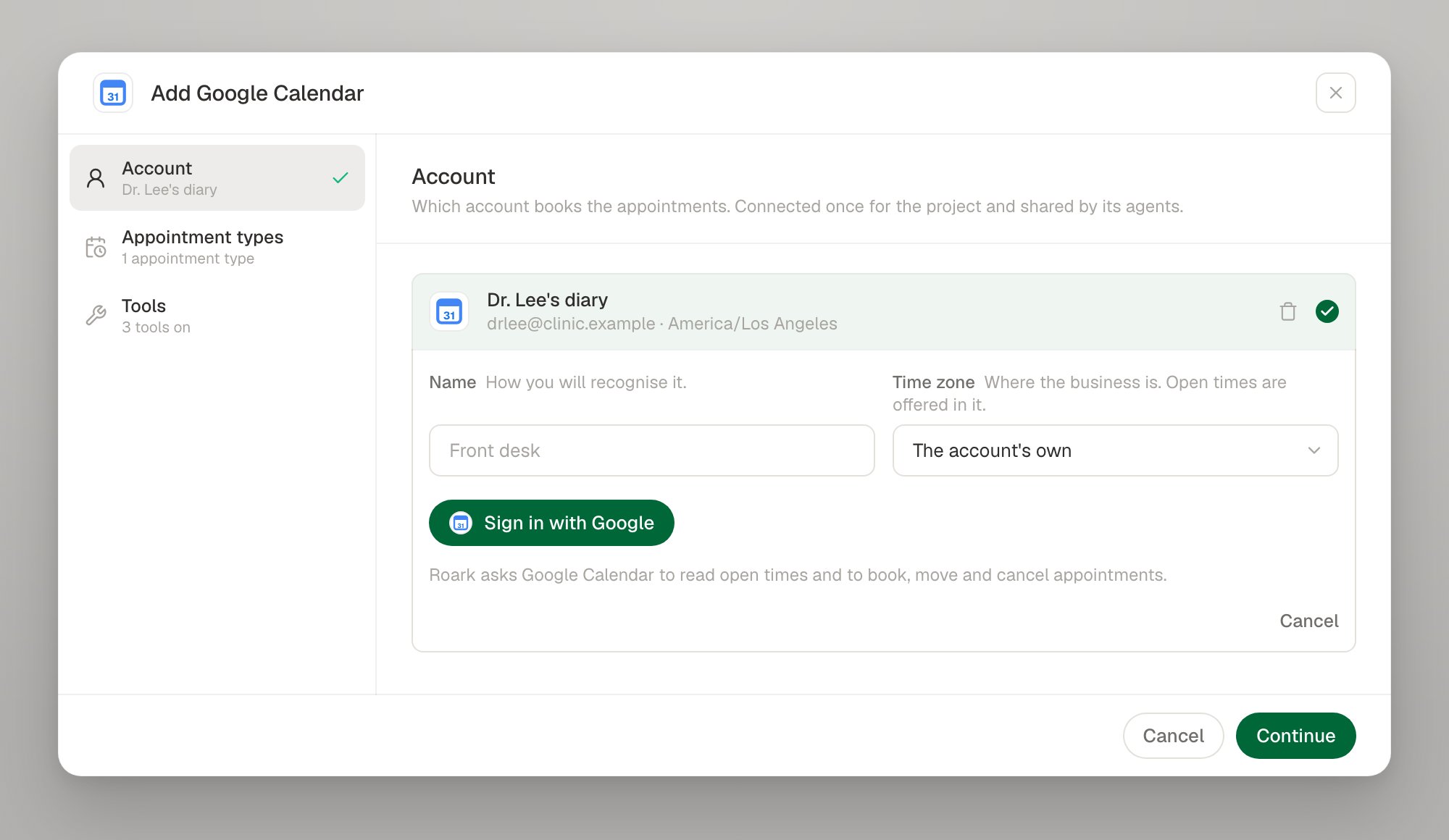
2
Grant both calendar permissions
Google opens its consent screen in a new window. Tick both calendar permissions and continue.Nothing is created until you consent: Roark exchanges the code, checks both permissions were granted, reads the account’s own time zone when you did not set one, and stores the connection. A consent link that is not used expires.
3
Describe what can be booked
An appointment type on Google names the calendar to write to, how long an appointment runs, a buffer, and the days and hours it is offered in.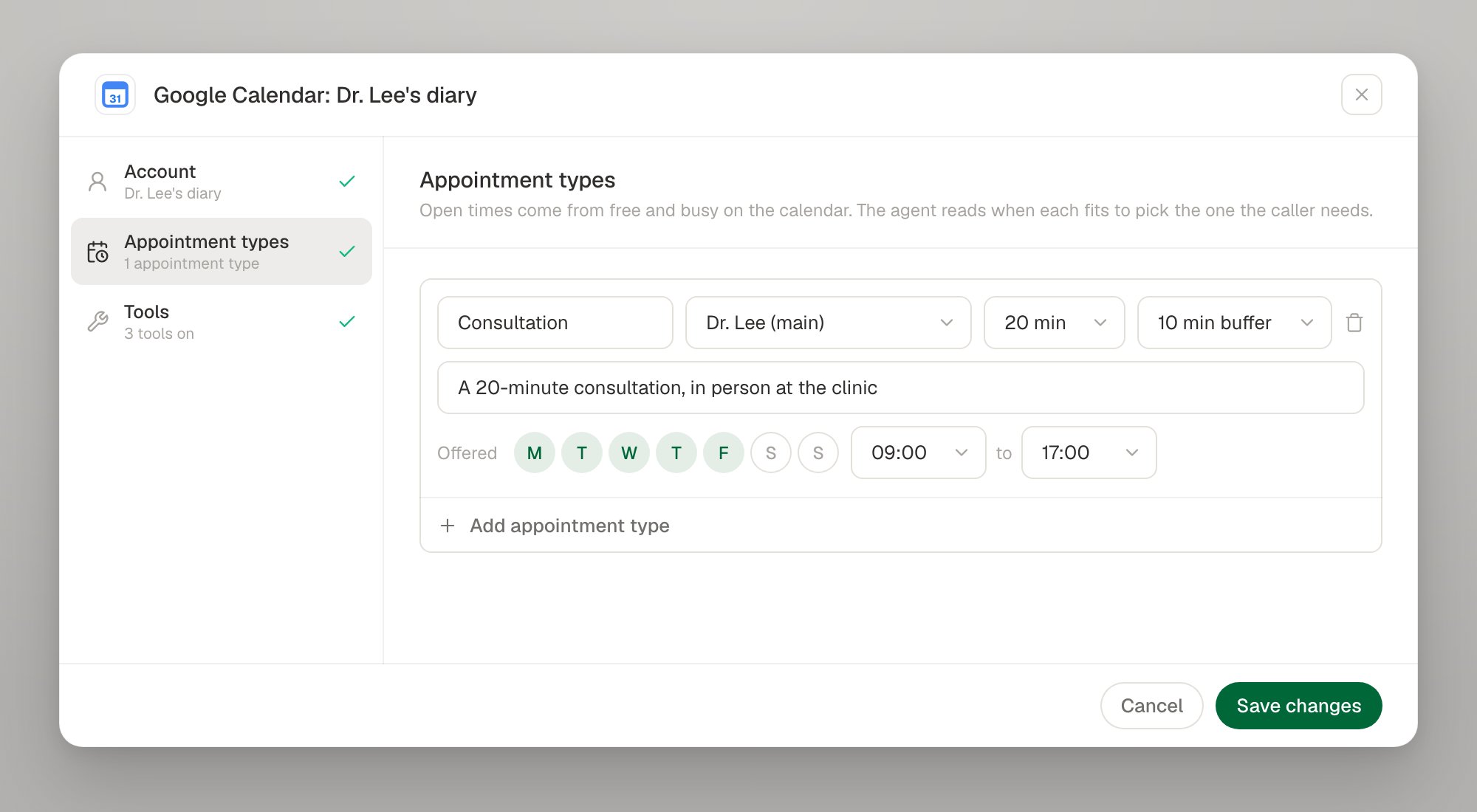
4
Switch on the tools
Google supports all six actions.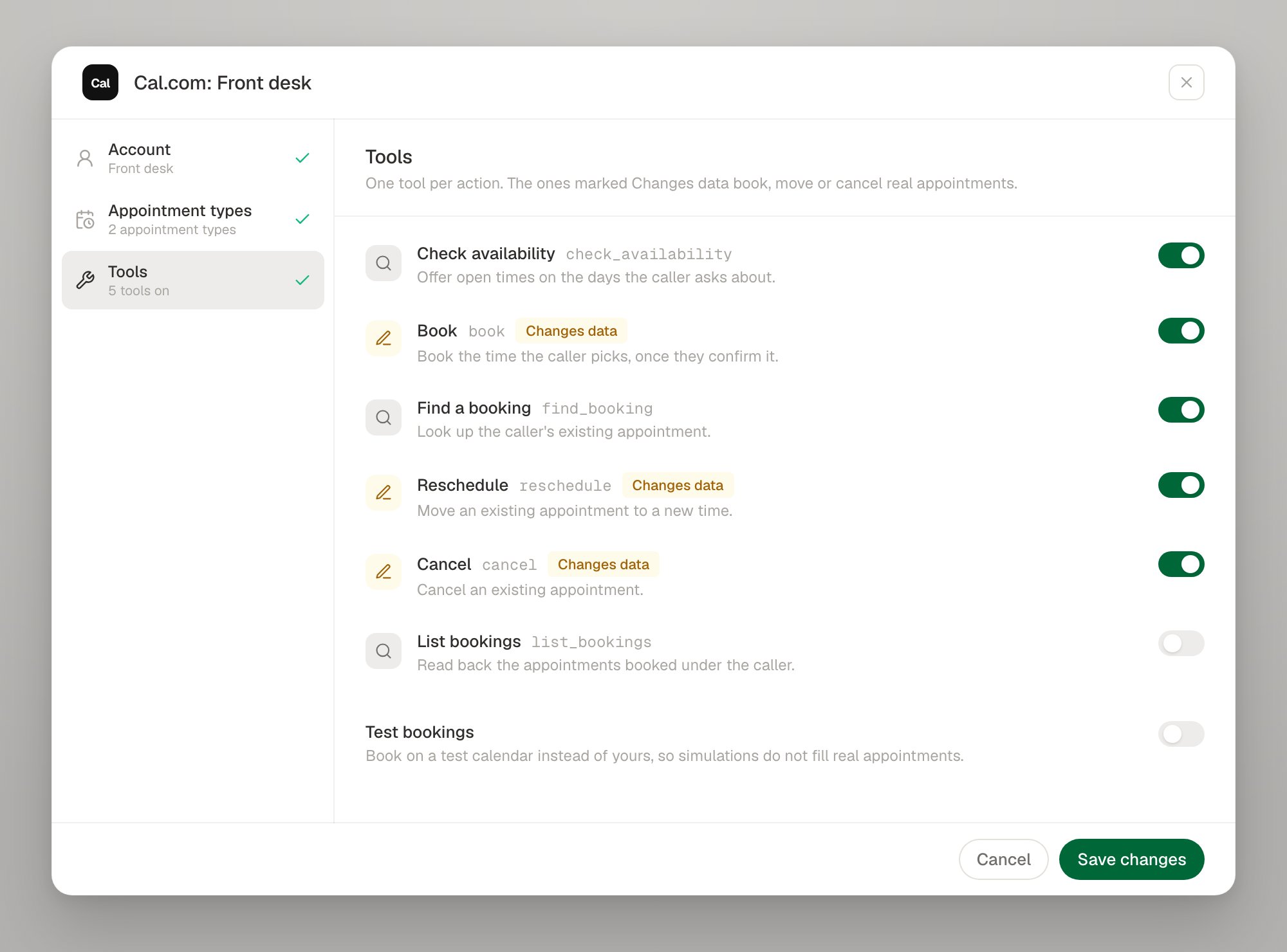
The booking policy
Each bookable target carries the rules Google does not have. The app writes one for you when you save the setup; through the API you create it yourself.1) and minutes from local midnight, so { "weekday": 1, "startMinute": 540, "endMinute": 1020 } is Monday 09:00 to 17:00. A window that runs past midnight is two entries on two weekdays; a day the business is closed is simply absent.
Editing a target changes what agents already published against it book, with no new agent version — the same as editing an event type on a scheduling system.
hours replaces the whole week when you send it, because a rota is described as a week. The calendar itself cannot be changed: it is the target’s identity for the booking ledger, so moving it would orphan every appointment already made on it.How availability and conflicts work
Availability is computed, not read
Availability is computed, not read
Google’s free/busy says when the calendar is busy; the target’s policy says when the business is open and how long an appointment is. Roark turns the two into slots, applying buffers, minimum notice and the booking horizon.
Roark refuses double bookings, because Google will not
Roark refuses double bookings, because Google will not
Google will happily insert a second event on top of the first and say nothing. So every write re-checks the interval first — against both Roark’s ledger and the live calendar — and refuses the booking itself, which the agent hears as “that time has gone” along with fresh times to offer.
A retried booking cannot become two appointments
A retried booking cannot become two appointments
Roark generates the Google event id itself, so a retry of the same booking sends the same id and Google answers with a conflict instead of creating a second appointment.
What Roark writes on the event
What Roark writes on the event
Bookings carry two private extended properties — the Roark booking id and the attendee’s email — used to reconcile a write whose answer never came back. They are private to the organiser’s copy, so attendees never see them.
The caller's email is optional
The caller's email is optional
Google attendees are optional, so an agent that cannot get an email spelled out over the phone can still book. Supply one and the attendee is added to the event as usual.
Signing in again, and disconnecting
A Google refresh token can stop working — a password change, a revoked grant, or an account that no longer exists. The connection then reportsINVALID_CREDENTIALS and the account row offers Sign in again, which replaces the credential in place so every tool bound to the connection keeps working.
Troubleshooting
Next steps
Calendars overview
The six tools, slot ids, test bookings and limits
Tools as code
Point a tool at a bookable target in config
Cal.com
A scheduling system that owns its own rules
Test tool calls
Exercise booking paths in simulations