

Documentation Index
Fetch the complete documentation index at: https://docs.roark.ai/llms.txt
Use this file to discover all available pages before exploring further.
Overview
The Playground is an interactive environment in the Roark dashboard where you can test custom metrics against real calls before adding them to policies or running them at scale. Iterate on metric prompts quickly without affecting production data.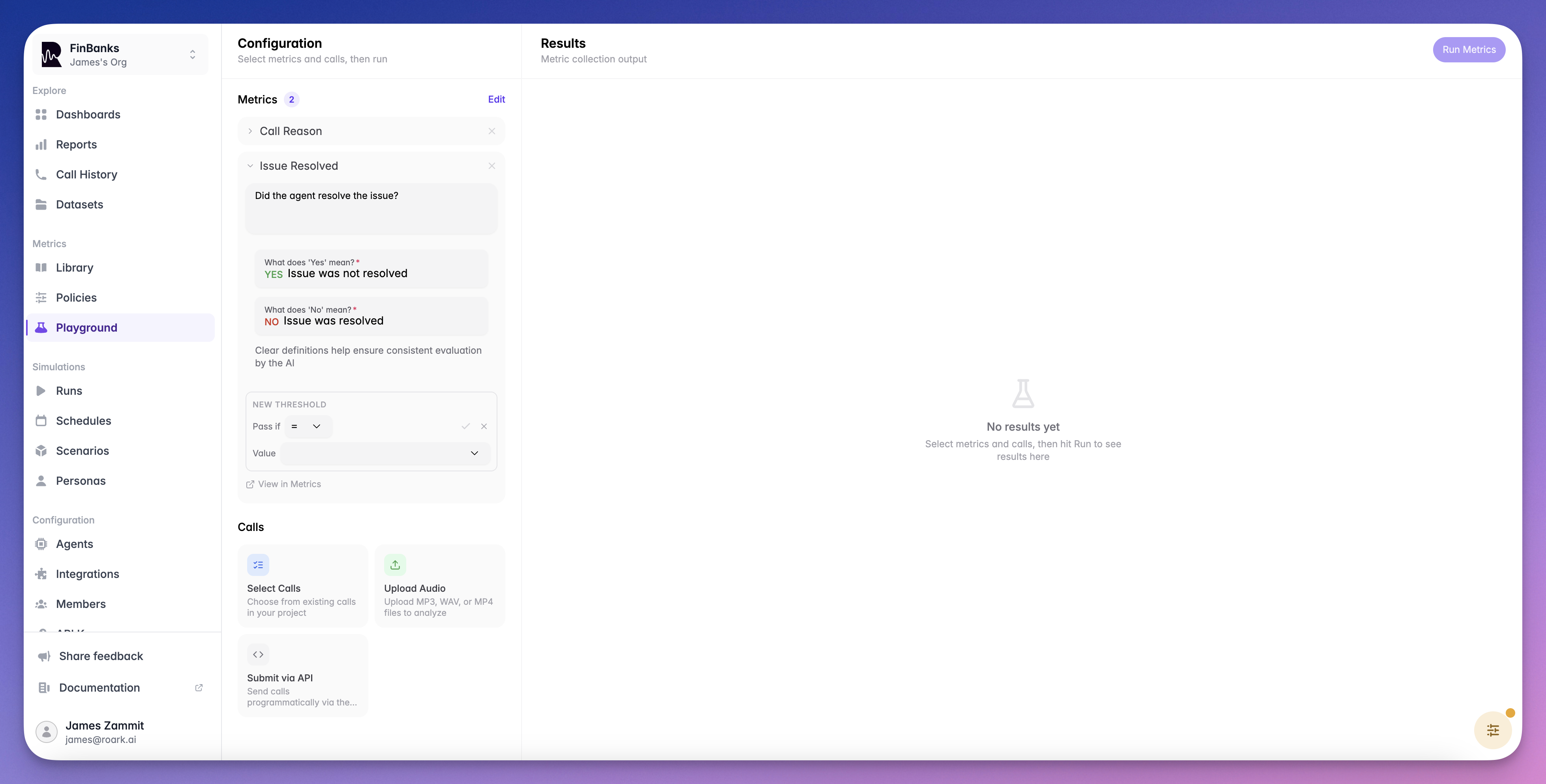
What You Can Do
- Test custom metrics — Write an LLM prompt and see how it evaluates against a real call
- Preview metric output — See the exact value, confidence score, and reasoning before deploying
- Iterate quickly — Adjust prompts and re-run instantly without creating metric definitions
- Validate before deploying — Ensure your metrics produce the expected results on representative calls
Getting Started
Select a Call
Choose an existing call from your project to test against. Pick a call that represents the type of conversation your metric will evaluate.
Configure Your Metric
Set the output type (boolean, scale, classification, etc.) and write your LLM evaluation prompt. The prompt should clearly describe what the metric should measure.
Run the Test
Click Run to evaluate the metric against the selected call. Review the output value, confidence score, and reasoning.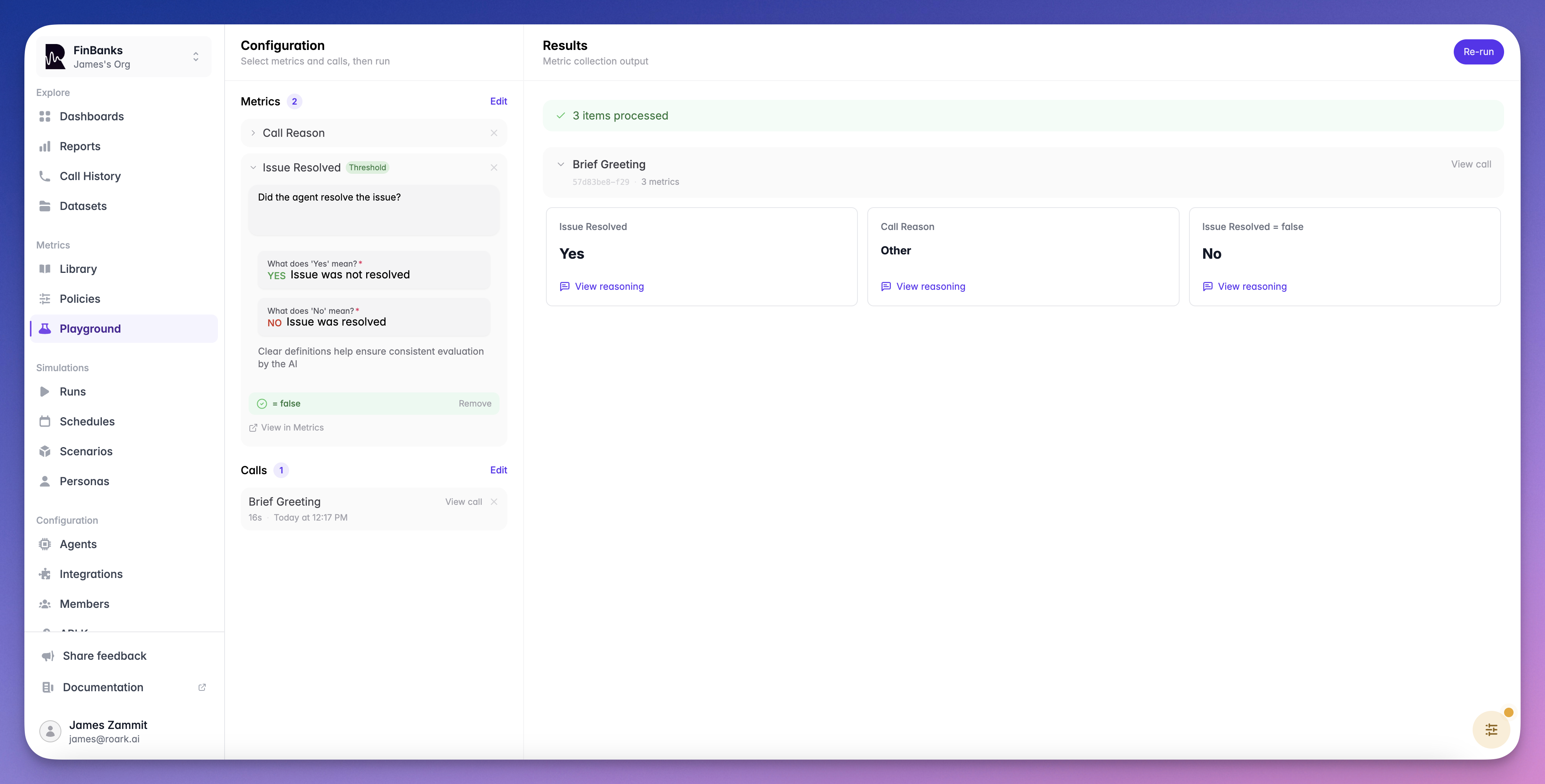
Iterate and Deploy
Adjust your prompt or configuration and re-run until the metric produces the results you expect. Once satisfied, you can:
- Create the metric definition via the dashboard or SDK
- Run it on more calls using a metric collection job
- Automate it by adding it to a metric policy
Testing Thresholds
The Playground also lets you test thresholds on your metrics. After running a metric, you can configure a pass/fail condition (e.g.,>= 7) and instantly see whether the call would pass or fail — without creating a metric definition first.
This is a quick way to validate that your threshold logic produces the expected results before adding it to a policy or run plan.
Thresholds Guide
Learn about operators, aggregation modes, and participant role filtering
Tips
Use Representative Calls
Use Representative Calls
Test against calls that reflect the variety of conversations your metric will encounter in production.
Be Specific in Prompts
Be Specific in Prompts
Clear, specific prompts produce more consistent results. Include examples of what constitutes a positive or negative result.
Test Edge Cases
Test Edge Cases
Try your metric against calls where the answer is ambiguous to see how it handles uncertainty.
What’s Next
Custom Metrics
Learn about metric types and create custom definitions
Collection Jobs
Run your tested metrics on many calls at once