

Documentation Index
Fetch the complete documentation index at: https://docs.roark.ai/llms.txt
Use this file to discover all available pages before exploring further.
Overview
Metric policies automate metric collection by defining which metrics run on which calls. Instead of manually triggering metric collection, policies evaluate incoming calls against conditions and automatically collect the specified metrics when conditions match. The easiest way to create and manage policies is directly from the Roark dashboard: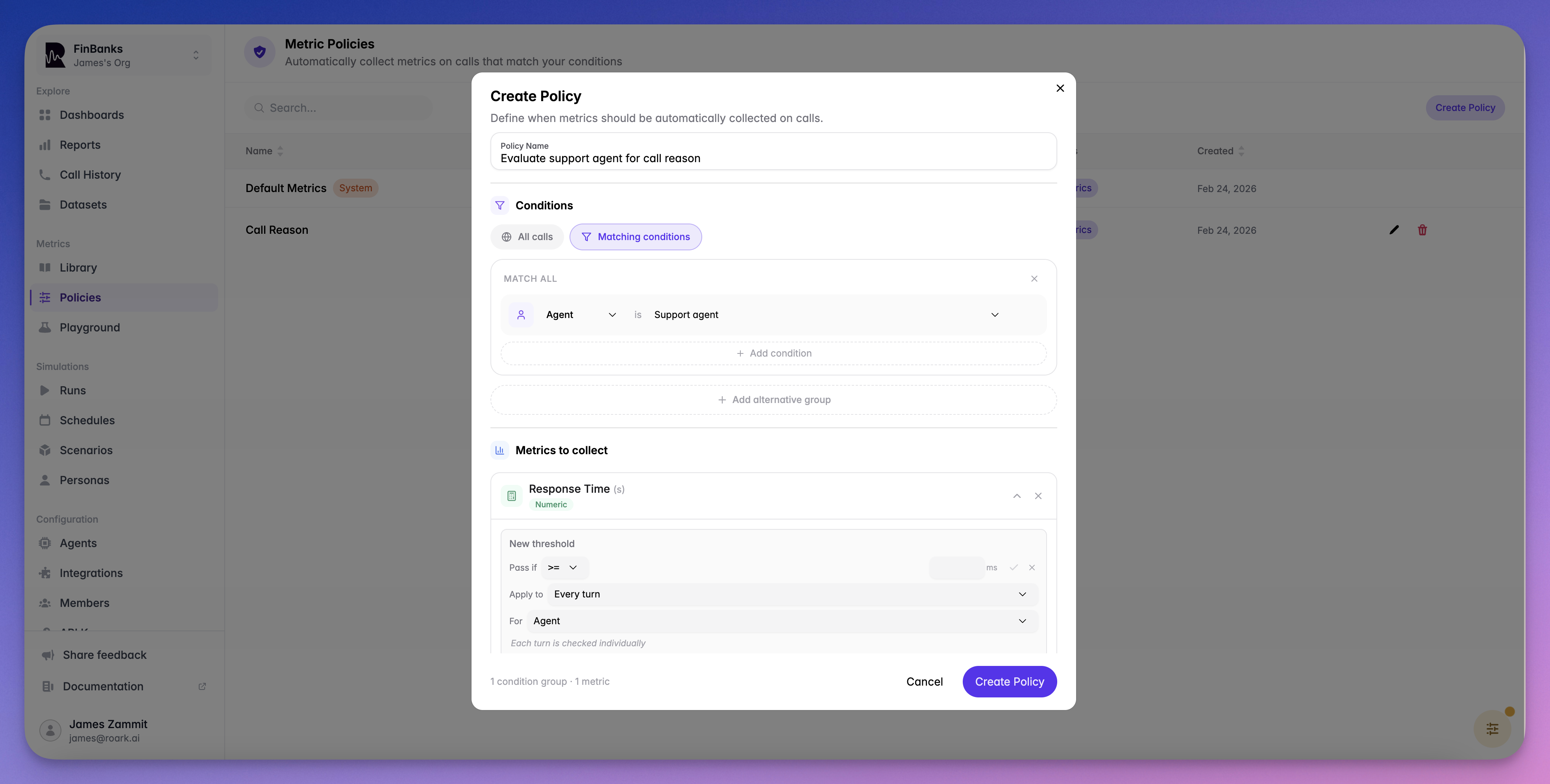
How Policies Work
A metric policy consists of:- Conditions (optional) — Rules that determine which calls the policy applies to
- Metrics — The metric definitions to collect when conditions are met
A policy with no conditions applies to all calls in the project.
Creating a Policy
| Field | Type | Required | Description |
|---|---|---|---|
name | string | Yes | Descriptive name for the policy |
status | string | No | ACTIVE (default) or INACTIVE |
conditions | array | No | Condition groups (omit to match all calls) |
metrics | array | Yes | Metric definitions to collect (minimum 1) |
Condition Types
Conditions determine which calls trigger the policy. Each condition group is an array of conditions that are evaluated together.| Type | Description | conditionKey | conditionOperator | conditionValue |
|---|---|---|---|---|
AGENT | Match calls from a specific agent | Agent ID | — | — |
CALL_SOURCE | Match calls from a specific source | Source name (e.g., VAPI, RETELL) | — | — |
CALL_PROPERTY | Match on a call property | Property name | EQUALS, CONTAINS, STARTS_WITH, NOT_EQUALS, GREATER_THAN, LESS_THAN | Value to match |
Managing Policies
List Policies
| Parameter | Type | Description |
|---|---|---|
limit | number | Max results (1-50, default: 20) |
after | string | Cursor for pagination |
status | string | Filter by ACTIVE or INACTIVE |
Get a Policy
Update a Policy
conditions array to remove all conditions.
Delete a Policy
Adding Thresholds
When selecting metrics for a policy, you can optionally configure thresholds to turn raw metric values into pass/fail outcomes. For example, setCustomer Satisfaction >= 7 to automatically flag calls that fall below your standard.
Thresholds are configured inline when adding metrics to a policy — select a metric, click the threshold option, and choose an operator and value.
Thresholds Guide
Learn about operators, aggregation modes, and participant role filtering
System vs User Policies
| System Policies | User Policies | |
|---|---|---|
| Created by | Roark automatically | You via API or dashboard |
| Editable | No | Yes |
| Deletable | No | Yes |
| Type field | SYSTEM | USER |
type: "SYSTEM".
Best Practices
Start Broad, Then Narrow
Start Broad, Then Narrow
Create a policy with no conditions to collect key metrics on all calls, then add targeted policies with conditions for specific use cases.
Use Conditions for Targeted Collection
Use Conditions for Targeted Collection
If you only need certain metrics for specific agents or sources, use conditions to avoid unnecessary processing.
Keep Policies Organized
Keep Policies Organized
Use descriptive names that indicate what the policy targets and what it measures (e.g., “Sales Agent - Conversion Metrics”).
Deactivate Instead of Delete
Deactivate Instead of Delete
Set a policy to
INACTIVE instead of deleting it if you might need it again later.What’s Next
Custom Metrics
Learn about metric types, scopes, and how to create custom metrics
Metric Collection Jobs
Run metrics on demand for specific calls